Kako narediti fotografijo profesionalno za LinkedIn
Naredite LinkedIn fotografijo profesionalno z jasno izvorno fotografijo, obrezovanjem, prilagojenim vlogi, realističnimi nastavitvami AI portreta in končnim preverjanjem pred nalaganjem.
TL;DR
Fotografija naj izgleda kot vi zdaj, v delovnem okolju, ne da bi opozarjala na urejanje. Začnite z jasnim obrazom, zavrnite vsak rezultat, ki spremeni identiteto, in uporabite AI le za dele, ki potrebujejo pomoč: ozadje, oblačila, svetloba, obrezovanje, izraz in rahlo retuširanje.
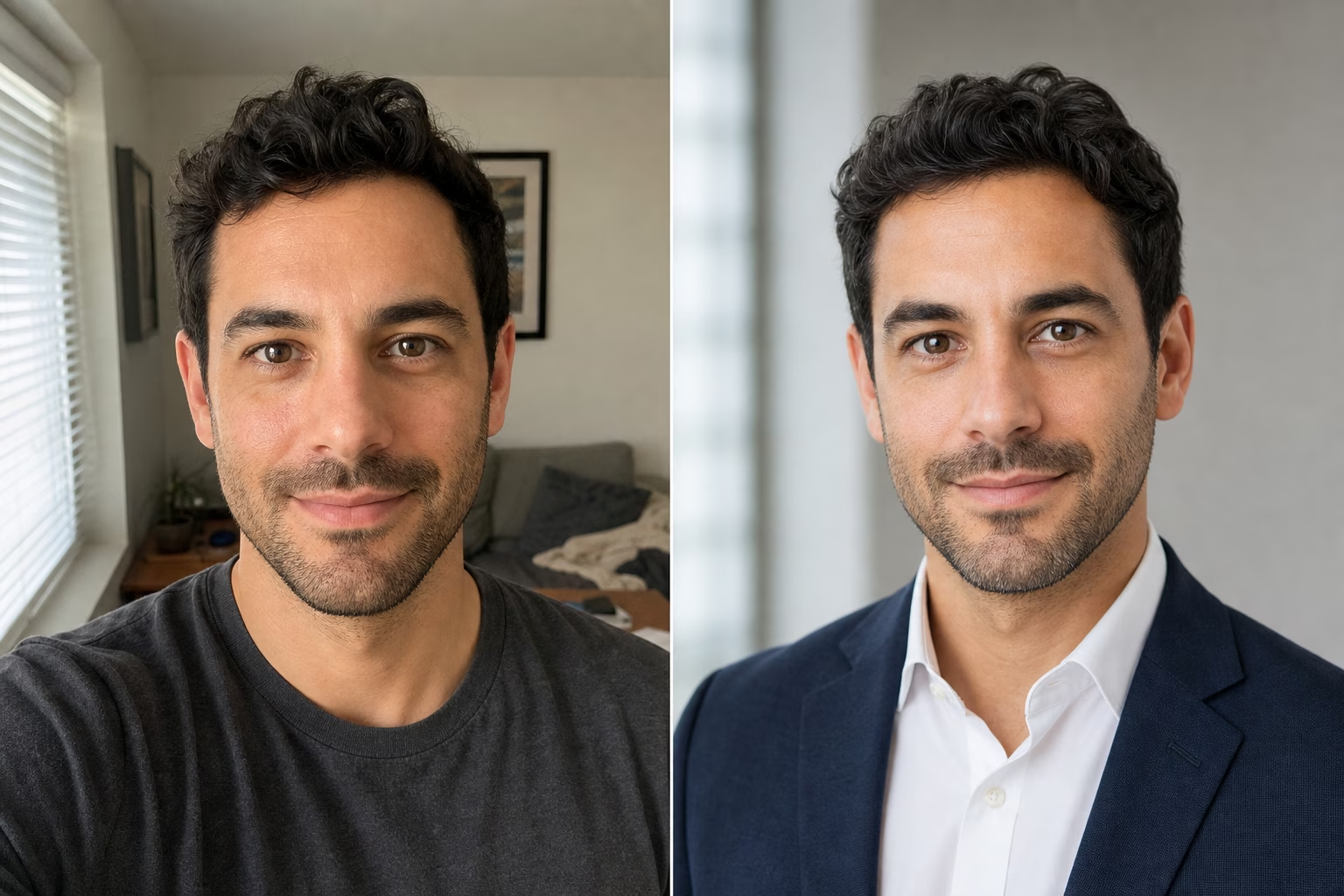
Za LinkedIn naj bo urejanje tiho: nedaven obraz, jasne oči, delovno primerno okolje, brez spremembe identitete.
LinkedIn Help's profile guidance pravi, da profilna fotografija pomaga članom izstopati in lahko vodi do do 2-krat več ogledov profila. Fotografija ni treba, da je bleščeča ali preveč izdelana. Morate biti videti v kontekstu, kjer si vas nekdo lahko predstavlja kot sodelavca.
LinkedIn prikazuje profilne fotografije v krogu v mnogih delih izdelka, zato pustite prostor okoli las, čeljusti, ovratnika in ramen. LinkedIn Help's upload requirements navaja dimenzije profila od 400 x 400 do 7680 x 4320 slikovnih pik, s podporo JPG in PNG ter omejitvijo velikosti datoteke 8 MB. Naložite kvadraten portret, da se lahko odločite za obrezovanje, preden LinkedIn uporabi krožno masko.
LinkedIn tudi potegne črto glede podobnosti: njegove smernice za profilno fotografijo pravijo, da mora profilna fotografija odražati člana. Ohranite le AI urejanja, ki ohranjajo vaš obraz, starost, izraz, ten kože, linijo las in očala.
Izberite najmanj urejeno različico, ki še vedno reši težavo. Če urejanje spremeni obliko obraza, starost, izraz ali teksturo kože, uporabite preprostejšo različico.
Preden odprete urejevalnik, poimenujte težavo v trenutni fotografiji. Uporabite ta šestdelni pxGuru kontrolni seznam pred generiranjem: jasnost obraza, osvetlitev, obrezovanje, ozadje, oblačila in realizem. Sproščena fotografija z dobrimi podrobnostmi obraza morda potrebuje le boljše obrezovanje in ozadje. Če je obraz zamegljen, sprememba ozadja ne bo popravila portreta; raje generirajte iz ostrejšega portreta.
| Težava na fotografiji | Kaj spremeniti | Kontrolni pregled |
|---|---|---|
| Obraz je majhen v okvirju | Uporabite obrezovanje od glave do ramen, kjer je obraz berljiv v sličici | Oči in usta so še vedno berljivi, ko je slika majhna |
| Ozadje odvrača pozornost | Uporabite nevtralni studio, pisarno ali rahlo zamegljeno ozadje | Obraz ostane prva stvar, ki jo opazite |
| Svetloba je ostra ali mešana | Uporabite mehki studio, naravno svetlobo ali svetlobo skozi okno | Sence še vedno izgledajo, kot da pripadajo obrazu |
| Obleka je preveč sproščena | Izberite vlogi prilagojeno srajco, suknjič, obleko, bluzo ali pametno ležerno majico | Obleka se ujema z vlogo, s katero želite, da vas ljudje povezujejo |
| Izraz je nenaraven | Izberite naraven nasmeh, topel izraz, miren izraz ali samozavesten pogled | Oseba je še vedno videti kot ista oseba |
| Koža je preveč obdelana | Uporabite minimalno retuširanje ali ohranjanje teksture kože | Tekstura ostane vidna okoli lic, čela in čeljusti |
Uporabite AI za izboljšanje okolice uporabnega portreta. Obraz mora biti še vedno dovolj oster, da urejanje deluje. Če so oči mehke, fotografija ni več videti aktualna ali je oseba delno skrita, začnite znova z boljšim vnosom.
Uporabite nedaven portret, ne skupinske fotografije ali počitniške fotografije, kjer je obraz slučajno viden. Stojte blizu okna, obrnite se proti kameri in držite telefon v višini oči. Če snemate novo fotografijo, uporabite zadnjo kamero, kadar je mogoče, tapnite za ostrenje na oči in naredite več posnetkov z majhnimi spremembami izraza.
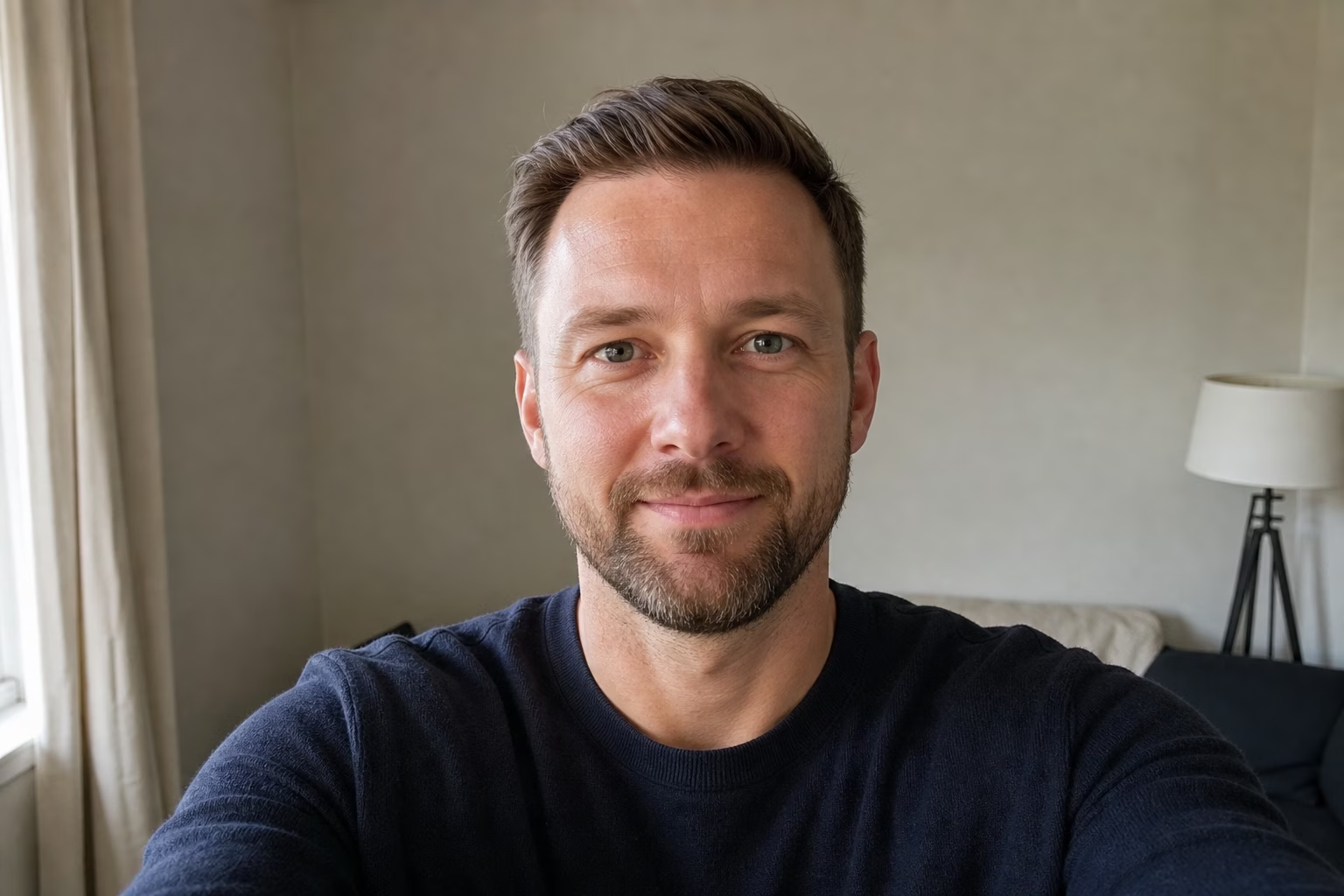
- Obrnite se proti kameri ali le malo. Skrajni koti otežijo končno obrezovanje.
- Ohranite obe očesi ostri in vidni. Očala so v redu, vendar odsev čez oči ni.
- Izogibajte se zameglitvi gibanja čez obraz. Jasnejši vir daje pxGuru več podrobnosti o očeh, robovih las in strukturi obraza za ohranitev.
- Uporabite mehko sprednjo ali stransko svetlobo. Okno, senčen zunanji prostor ali svetel oblačen dan so dobri.
- Pustite prostor nad lasmi in pod rameni. LinkedInov krožni obrez bo odstranil vogale.
- Nosite, kar bi verjetno nosili za klic s strankami, intervju, timsko stran ali biografijo ustanovitelja.
- Izogibajte se klobukom, sončnim očalom, težkim filtrom, značkam dogodkov, natrpanim stenam in drugim motnjam.
Če uporabljate AI headshot generator, izvorna fotografija ni treba, da izgleda kot studijski portret, vendar še vedno potrebuje jasen obraz. V trenutnem toku orodja pxGuru naložite en portret in izberete kontrole za prednastavitev, ozadje, oblačila, osvetlitev, obrezovanje, izraz, lase, očala in retuširanje. Stran orodja navaja, da ena generacija portreta porabi 50 kreditov in da primerne fotografije ne porabijo kreditov.
LinkedIn's own photo tips priporočajo nedavno solo fotografijo, preprosto ozadje, delovno primerna oblačila, mehko naravno svetlobo in obrezovanje, kjer obraz zavzema približno 60 % okvirja. WIRED's smartphone headshot guide daje podobne praktične nasvete za telefonske fotografije: uporabite naravno svetlobo, čisto ozadje, zadnjo kamero in po možnosti časovnik ali stojalo.
Začnite z LinkedIn. Če se rezultat zdi preveč sproščen, poskusite Corporate; če se zdi preveč tog, poskusite Natural. Uporabite Executive le, kadar je bolj formalna vodstvena fotografija primerna za vlogo. Obravnavajte prednastavitev kot izhodišče, nato prilagodite dele, ki ne ustrezajo fotografiji ali vlogi.
Ozadje
Izberite Studio gray, Clean white, Blue-gray, Soft office, Glass office, Conference room ali Outdoor, ko prvotno okolje odvrača pozornost od vašega obraza. Začnite s Studio gray ali Soft office, kadar želite manj ostrih linij za glavo.
Oblačila
Izberite obleko za vlogo, ki jo mora ta fotografija podpreti: intervju, klic s stranko, biografija ustanovitelja, notranji imenik ali javni profil. Možnosti obleke in suknjiča ustrezajo vlogam, kjer se pričakuje klasična poslovna predstavitev. Možnosti srajce, bluze, pletene majice, želvice in pametno ležernega sloga lahko ustrezajo vlogam, kjer je pomembna dostopnost.
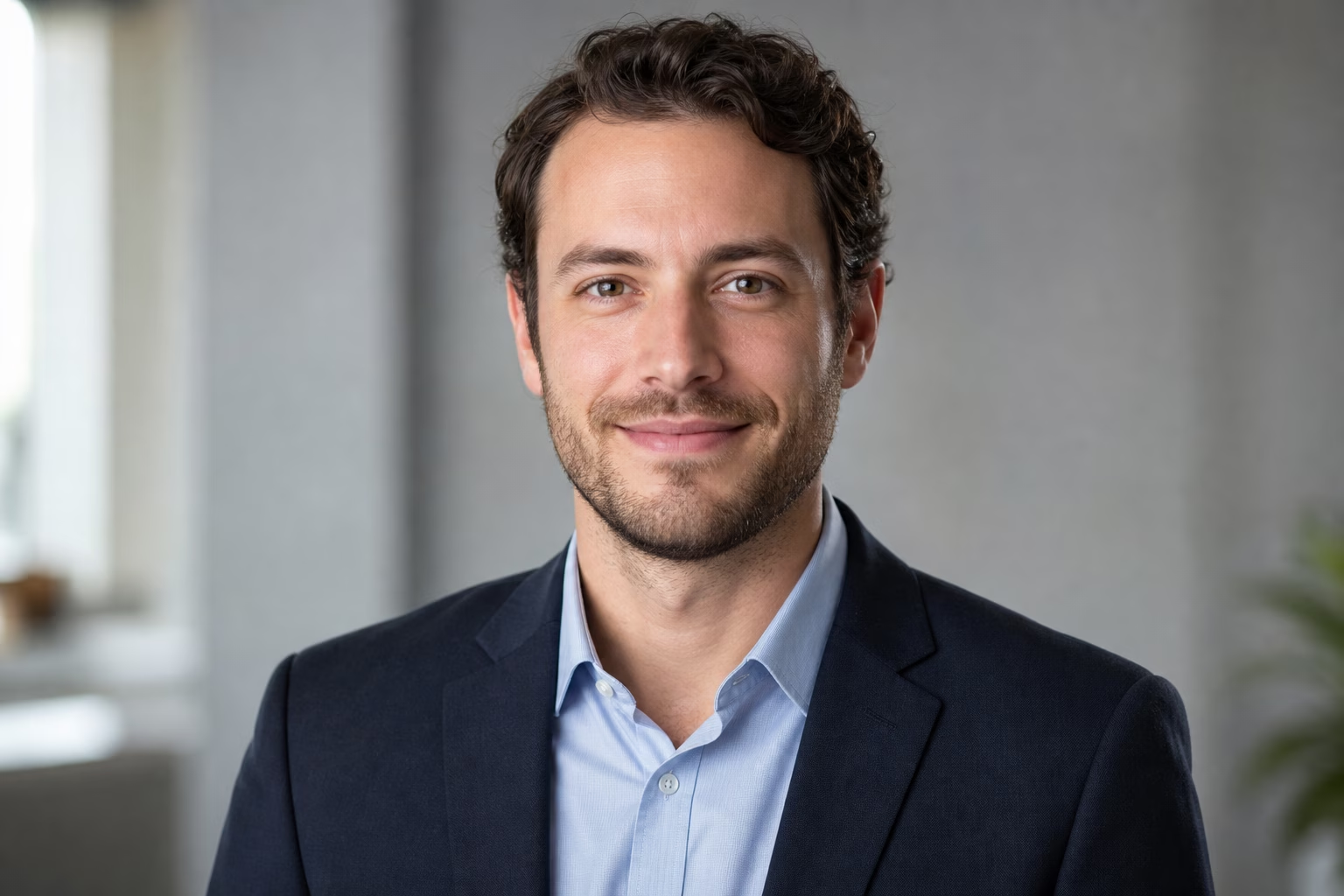
Primeri nastavitev pxGuru
| Trenutna fotografija | Prve nastavitve za poskus | Sprejmite rezultat, ko |
|---|---|---|
| Oster obraz, natrpana kuhinja ali spalnično ozadje | LinkedIn prednastavitev, Studio gray ali Soft office ozadje, ohranite izraz blizu izvirnika | Obraz je videti nespremenjen in ozadje ne tekmuje več |
| Jasen selfie, majica se zdi preveč sproščena | LinkedIn ali Natural prednastavitev, srajca ali pametno ležerna oblačila, minimalno retuširanje | Oblačila izgledajo verjetna za vašo vlogo in robovi vratu/ovratnika so čisti |
| Dober izraz, ostre notranje sence | LinkedIn prednastavitev, Studio soft ali Natural svetloba, retuširanje teksture kože | Oči so ostre in obraz ima še vedno naravno globino |
| Fotografija z očali z odsevom | Ohranite prvotna očala, če so oči jasne, ali uporabite nastavitev za očala, ki zmanjša odsev, če odsev skriva oči | Okvirji so ravni in obe očesi ostaneta vidni |
| Starejša fotografija, ki se več ne ujema z vami | Uporabite novo izvorno fotografijo namesto AI nastavitve | Rezultat izgleda kot oseba, ki bi jo kdo srečal ali videl na klicu danes |
Osvetlitev
Uporabite Studio soft, Natural light, Window light, Bright, Warm ali Overcast, ko ima prvotna fotografija ostre sence ali ravno notranjo svetlobo. Izogibajte se dramatični in nizki osvetlitvi, razen če vaša panoga uporablja ta slog. Na LinkedInu mora biti obraz hitro berljiv v velikosti sličice.
Izraz in retuširanje
Ohranite izraz blizu izvorne fotografije. Začnite z naravnim nasmehom, toplo, umirjeno ali samozavestno, preden poskusite močnejšo spremembo razpoloženja. Za retuširanje začnite z Minimalno ali teksturo kože. Uporabite Zmanjšaj sijaj le, če je bleščanje dejanska težava. Če je rezultat bolj gladek, kot ste videti v videoklicu, je preveč.
Ne uporabljajte AI rezultata, ki spremeni identiteto. Zavrnite slike, kjer čeljust, oblika oči, starost, ten kože, linija las, očala ali izraz ne ustrezajo več osebi.
Ne ocenjujte končne slike le v polni velikosti. LinkedIn prikazuje vašo fotografijo v več majhnih kontekstih: rezultati iskanja, sporočila, komentarji, prošnje za povezavo in profili. Fotografija, ki je videti podrobna v velikem predogledu, se lahko po obrezovanju spremeni v temen krog.
- Odprite izvoz kot kvadrat in si predstavljajte odstranjene vogale. Vrh las, čeljust, ovratnik in linija ramen naj ostanejo znotraj kroga.
- Pomanjšajte, dokler obraz ni majhen. Oči, usta in obris glave morajo biti še vedno jasni.
- Primerjajte ga z izvirnikom. Oseba naj bi izgledala kot ista oseba, ki bi jo prepoznali danes.
- Preverite robove oblačil, ušesa, očala, lase, zobe in ozadje za AI artefakte, kot so ukrivljeni okvirji, neenakomerni zobje, pretrgani robovi las ali črte ozadja, ki prečkajo glavo.
- Vprašajte, ali fotografija ustreza naslovu in vlogi. Ustanovitelj, medicinska sestra, odvetnik, oblikovalec in študent ne bi smeli vsi uporabljati istega sloga.
- Naložite kvadratni JPG ali PNG velikosti 400 x 400 slikovnih pik ali več, in naj bo pod LinkedInovo navedeno omejitvijo velikosti datoteke 8 MB.
Pred nalaganjem primerjajte rezultat z izvirnikom. Če vas nekdo iz videoklica ne bi prepoznal, izberite svetlejšo prednastavitev ali začnite z boljšo izvorno fotografijo.
- Izberite nedavno fotografijo, kjer je vaš obraz oster in neoviran.
- Mentalno obrežite v krog pred urejanjem. Pustite prostor okoli glave in ramen.
- Odprite AI generator portretov in začnite z LinkedIn, Corporate, Executive ali Natural.
- Izberite preprosto ozadje, garderobo, prilagojeno vlogi, mehko osvetlitev in zadržano retuširanje.
- Ustvarite le možnosti, ki jih potrebujete, saj vsaka generacija portreta porabi 50 kreditov.
- Zavrnite vse, kar spremeni identiteto.
- Izvozite najbolj prepoznavno različico in jo naložite kot kvadratno sliko.